
Courses
You write a post. You hit publish. You wait. And…zero engagement.
Nothing kills a content creator’s motivation faster than the silence of zero traffic. But here is the hard truth: You don’t have a writing problem. You have a topic problem.
Most bloggers guess what their audience wants. But why guess when you can cheat?
Enter the Google Keyword Planner. While most people think this is just a boring tool for advertisers, smart SEOs know it’s actually a treasure map. It’s the only tool that gives you data directly from the source, Google itself. It gives you data based on actual Google searches.
In this guide, we’re ditching the boring instruction manual vibe. We’re going to show you exactly how to use this tool to steal your competitors’ keywords, find high-value topics, and finally get the traffic you deserve.
The Google Keyword Planner tool is a free resource provided by Google. It was originally built for advertisers. People use it to buy ads on Google. However, it has evolved. It is now a favourite weapon for content creators too.
You might hear people call it the keyword planner by google. It is located inside the Google Ads dashboard. Don’t worry, you do not need to run ads to use it. You can use this to see what people search for. It tells you how many people search for a term. It also suggests related terms you might have missed.
It serves two main groups:
You can use Google Keyword Planner from your Google Ads account. You don’t need to run any ads, but Google does require billing details to unlock the tool.
Once you’re logged in:
To access Keyword Planner, go to “Tools” > “Planning” > “Keyword Planner.”

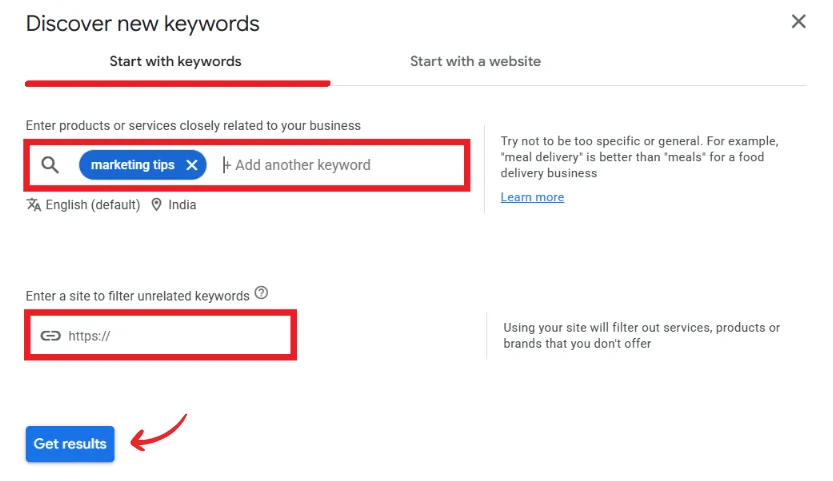
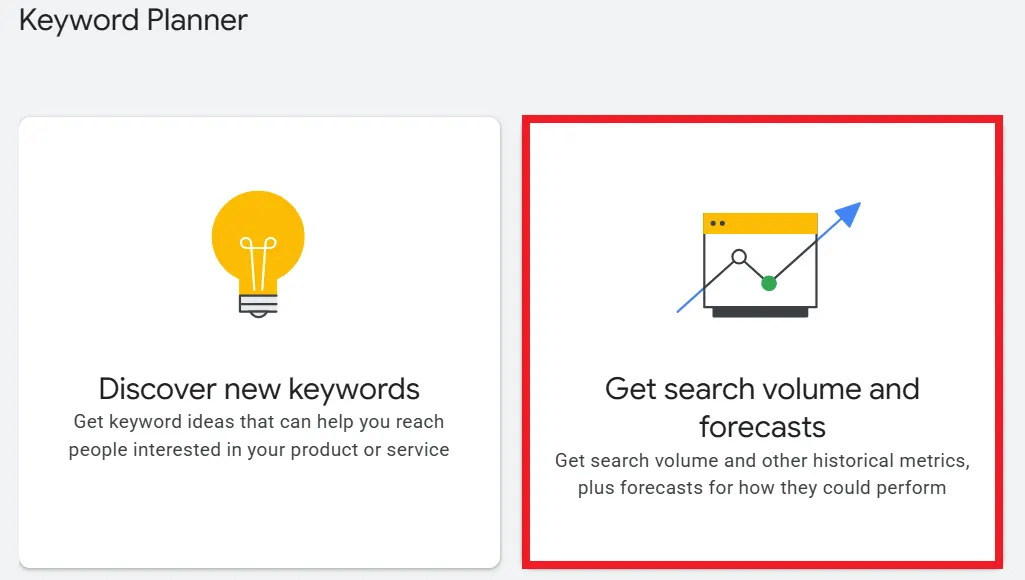
Now that you are in, let’s use it. The tool gives you two main options. You will see “Discover new keywords” and “Get search volume and forecasts”. Let’s break them down.
Improve Your Digital Marketing SkillsMaster New Skills Through Hands-On Mentorship |
|
| Advanced Diploma in Digital Marketing | |
| More Learning Options for you: Google Ads Certification | Certificate in Digital Marketing | Diploma in Digital Marketing |
Click on “Discover new keywords”. You use this when you need fresh ideas. You have a topic in mind, but you need specific phrases.
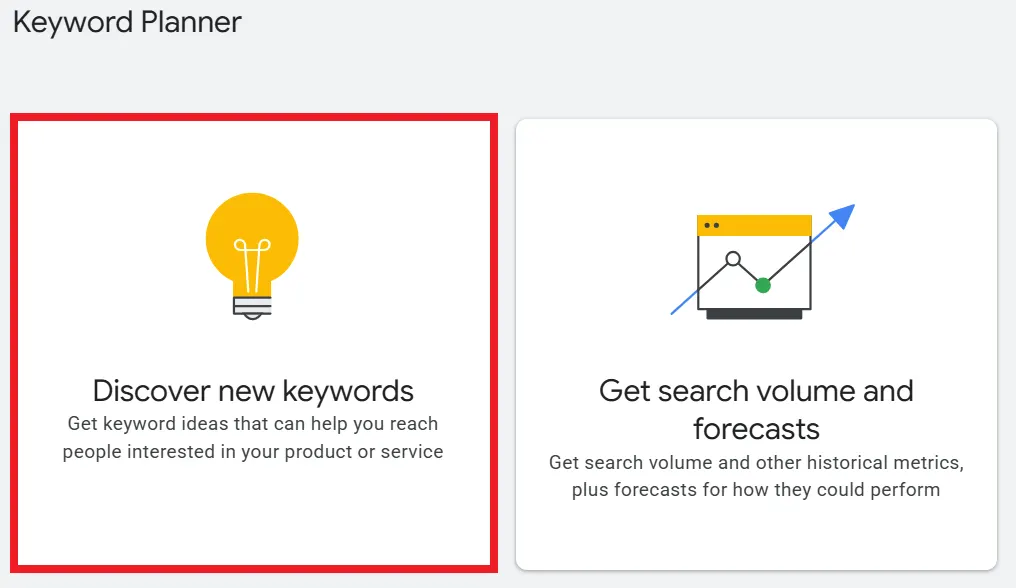
You can start in two ways:
This feature makes it a powerful google keyword analysis tool. It analyzes the words and gives you a list.
If you’re entering keywords, you can also enter your website’s URL to automatically filter unrelated keywords. (We’ll show you how to filter keywords manually for more control.)
Then, click “Get results.”
Use this option if you already have a list. Maybe you brainstormed 50 ideas. You want to know which ones are popular. Paste your list here. The tool will show you the search volume for each. It acts as a precise google keyword planner for keyword research.
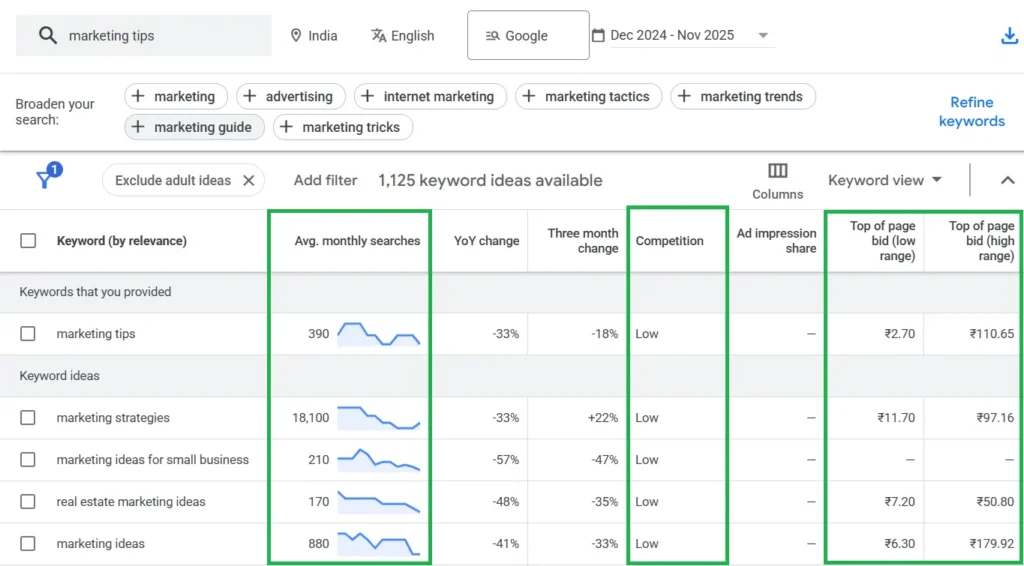
When you get your results, you will see a table. It can look overwhelming. Let’s simplify the columns.
This column tells you popularity. It shows how many times people search for that term each month. Note that sometimes Google shows a range (e.g., 1k-10k). This happens if you do not spend money on ads. It is still useful data. It helps you sort big topics from small ones.
This is often misunderstood. In the google keyword planner tool, “Competition” refers to ads. It tells you how many advertisers are bidding on that keyword. It is marked as Low, Medium, or High.
This shows you the money. The “Low range” is what you might pay to be at the bottom of the ads. The “High range” is the cost for the top spot.
Why does this matter for SEO? It shows value. If advertisers pay ₹10 per click for a keyword, it is valuable. Ranking for it organically is like striking gold.
Basic research is good. Advanced research is better. Let’s look at some pro tips.
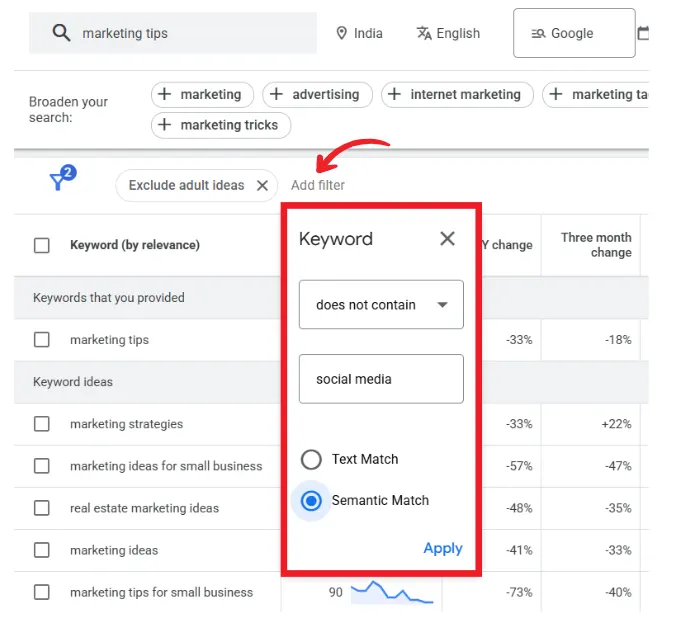
You will get thousands of results. You need to filter them. Click the “Add Filter” button.
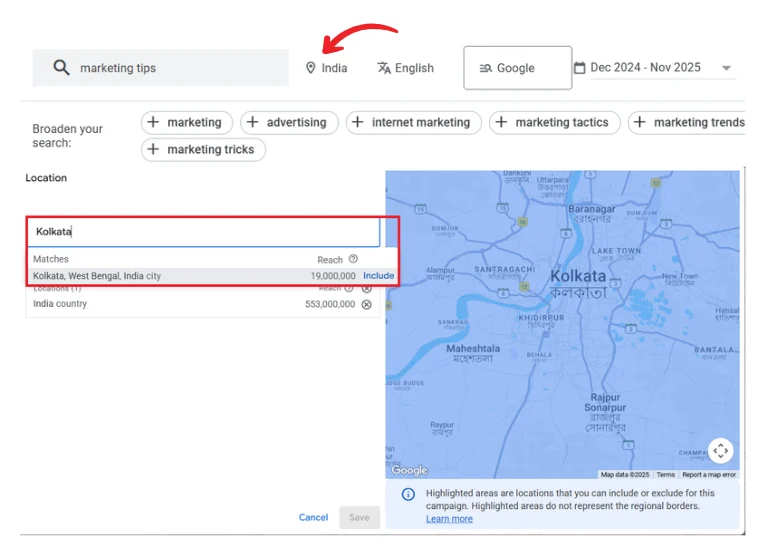
Do you run a local business? You can change the location settings.
For instance, running a local bakery in Kolkata? Change the location setting from “India” to “Kolkata.” Now you see what your actual neighbours are searching for.
Remember the “Start with a website” option? Use your competitor’s URL. The tool will show you what keywords are relevant to their site. It is a legal way to spy on their strategy.
If you are planning to run ads, the Forecast feature is your financial safety net. It allows you to “test” the market before spending a single rupee.
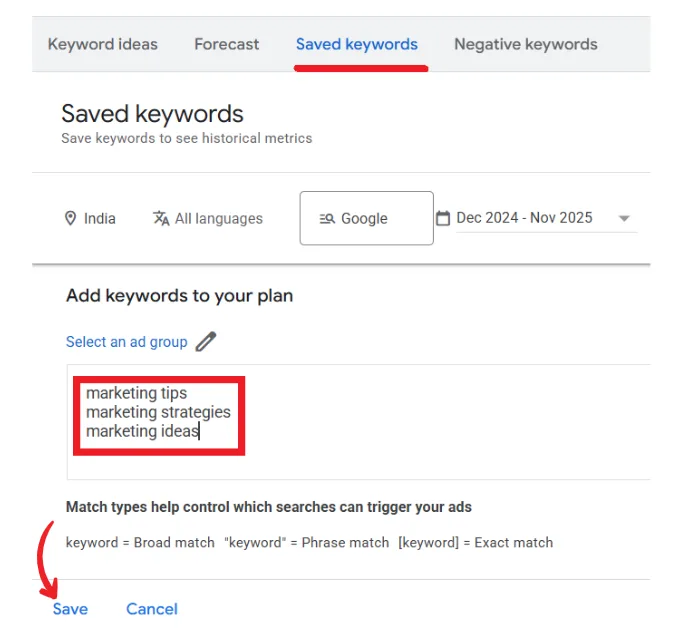
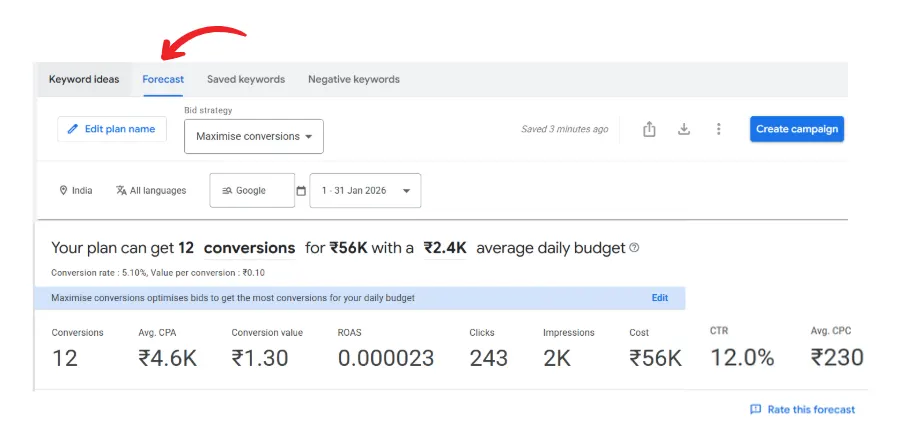
Beyond basic search volume, it offers raw data that can sharpen your content and ad strategies.
Few related topics for your knowledge
Every tool has strengths and weaknesses. Here is a quick breakdown.
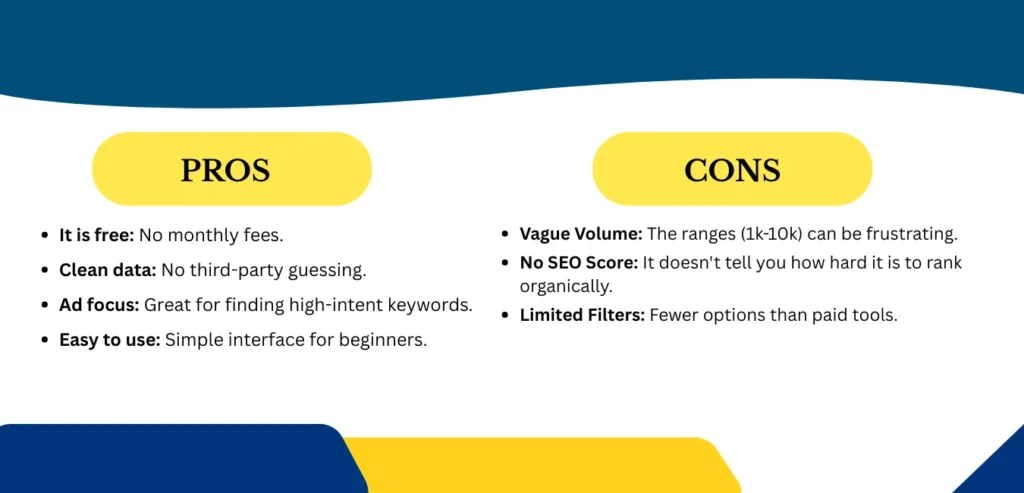
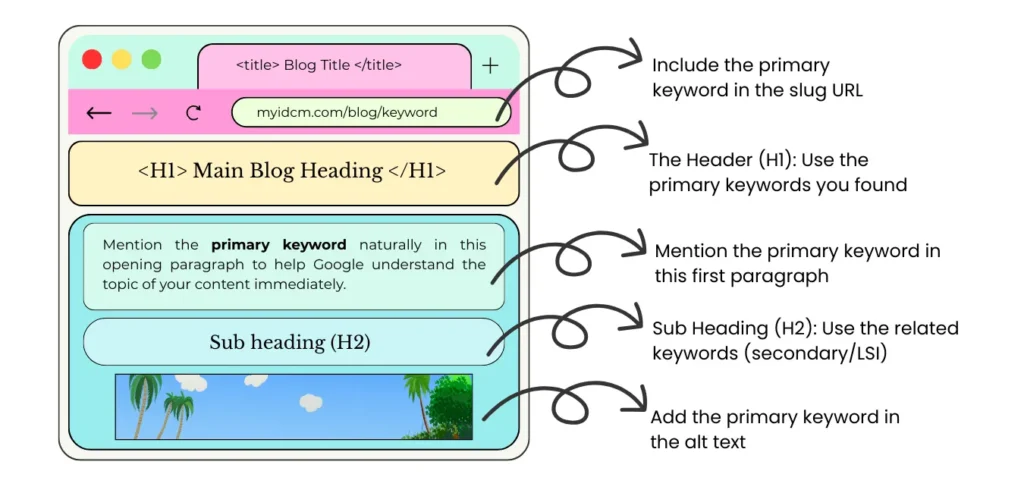
You have your keyword: Now what?
Do not just stuff that phrase into your post 50 times. That worked in 2010. Today, it gets you penalized.
Do this instead:
The google keyword planner tool is a must-have for any marketer. It is versatile and free. It bridges the gap between what you think people want and what they actually want.
The Google Keyword Planner isn’t just for ads. It is the best way to peek inside your customer’s brain.
Stop guessing. Start planning.
Yes, it is 100% free. You need a Google Ads account, but you do not have to run active ads to access the planner.
Absolutely. While it is built for ads, it is an excellent tool for seo. It helps you find search volume and keyword ideas for your organic content.
Google often restricts exact data for accounts with low or no ad spend. However, the ranges provided by the tool are still useful for gauging relative popularity.
It depends on your needs. The keyword planner by google is best for accurate search data. Paid tools are better for competitor analysis and backlink data.
Yes! YouTube is owned by Google. People search for similar things on both platforms. If a keyword is hot on Google, it’s likely hot on YouTube too.
Usually, yes. But remember, in this tool, “Low Competition” means fewer ads. You still need to check the actual Google search results to see if big websites (like Forbes or Wikipedia) are dominating that topic.


 }})