
Courses
YouTube thumbnail A/B testing means uploading two or three versions of a thumbnail for the same video. YouTube shows each version to different viewers, so real data picks the winner. You run it with the free Test & Compare feature in desktop YouTube Studio. YouTube chooses the winner by watch-time share, not by click-through rate alone. So an honest thumbnail often beats a clickbait one.
Your YouTube thumbnail is the reason people click your video or scroll past it. Before anyone sees your editing or your ideas, they judge that one small image. You can spend days on a video and still get very few views. Often the reason is simple. The thumbnail did not earn the click.
This matters more than ever. Jobs feel less secure, and layoffs are common. Many people now look to YouTube to build something of their own. And the opportunity is real. According to YouTube’s 2025 Impact Report, with research by Oxford Economics, the platform supported over 960,000 full-time-equivalent jobs in India in 2025.
Here is the good news. A strong thumbnail is not luck or design talent. It is a skill. You can learn it, test it, and get paid for it. The fastest way to improve is to stop guessing and start testing. This guide covers YouTube thumbnail A/B testing from the start: what it is, how to run it, what to test, how to read the results, and how it builds skills the job market wants.
YouTube thumbnail A/B testing means comparing two or three thumbnails for the same video to see which one works best. Real viewer behaviour decides the winner, not your personal taste.
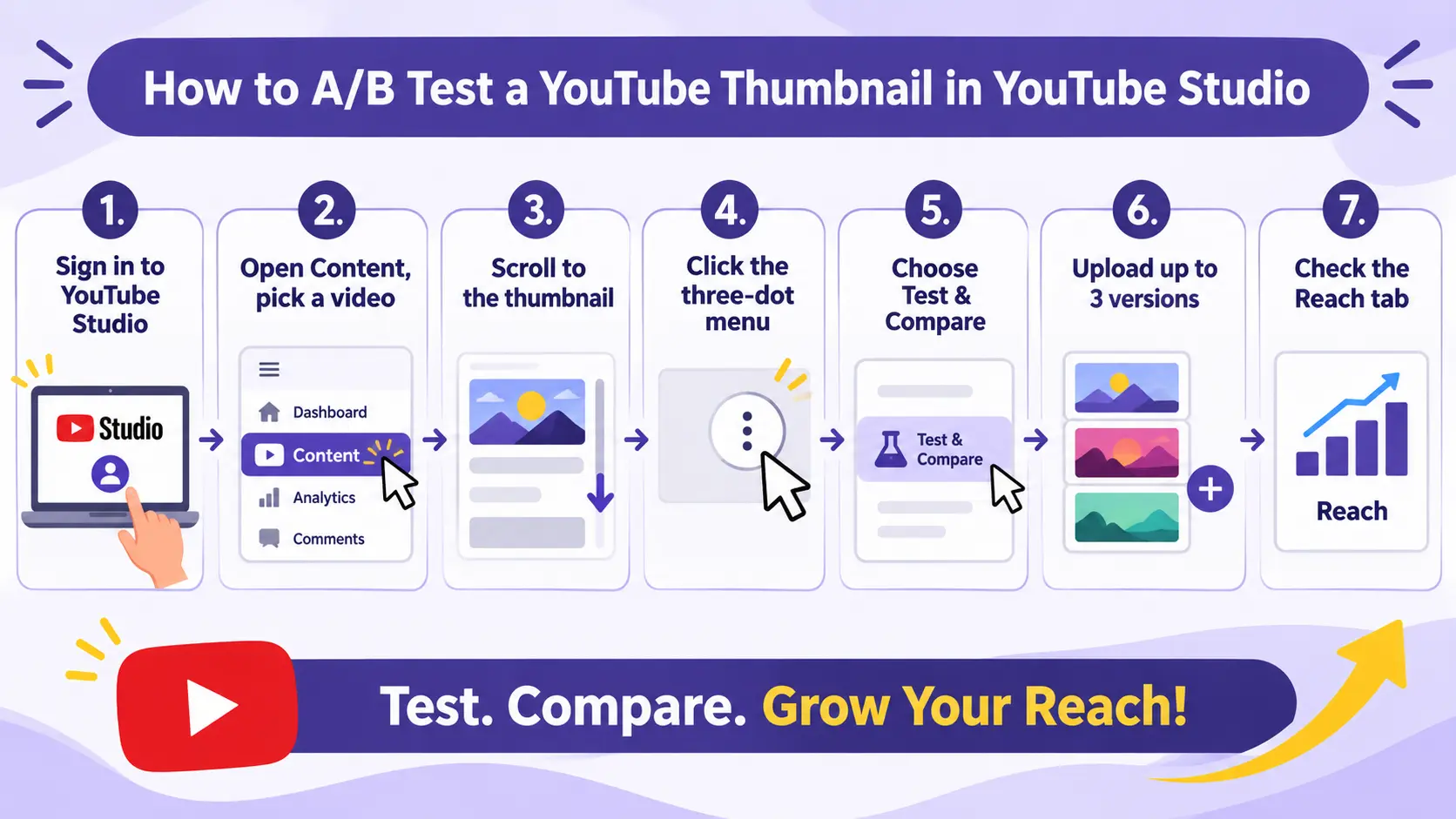
You do this with a free tool called Test & Compare. Inside YouTube Studio, it is also labelled “A/B testing.” For a single video, you can upload up to three versions. YouTube shows them to different viewers at the same time. It then tells you which one won and applies it for you.
Here is a simple example. Say you make a video called “How to Start a Digital Marketing Career.” You could test three thumbnails: a student at a laptop, a simple career roadmap, and a dashboard with the words “Start From Zero.” Each one shows the same topic differently. The test tells you which idea your audience likes most.
You can test a thumbnail, a title, or both together. Every test also teaches you something about your audience that you can use on your next video. That is why testing is a skill, not a one-time task.
Grow Your Digital Marketing SkillsLearn Practical with Expert Instructors |
|
| Advanced Digital Marketing | |
| More Learning Options for you: Diploma Course | Google Ads Certification | Facebook Ads Course |
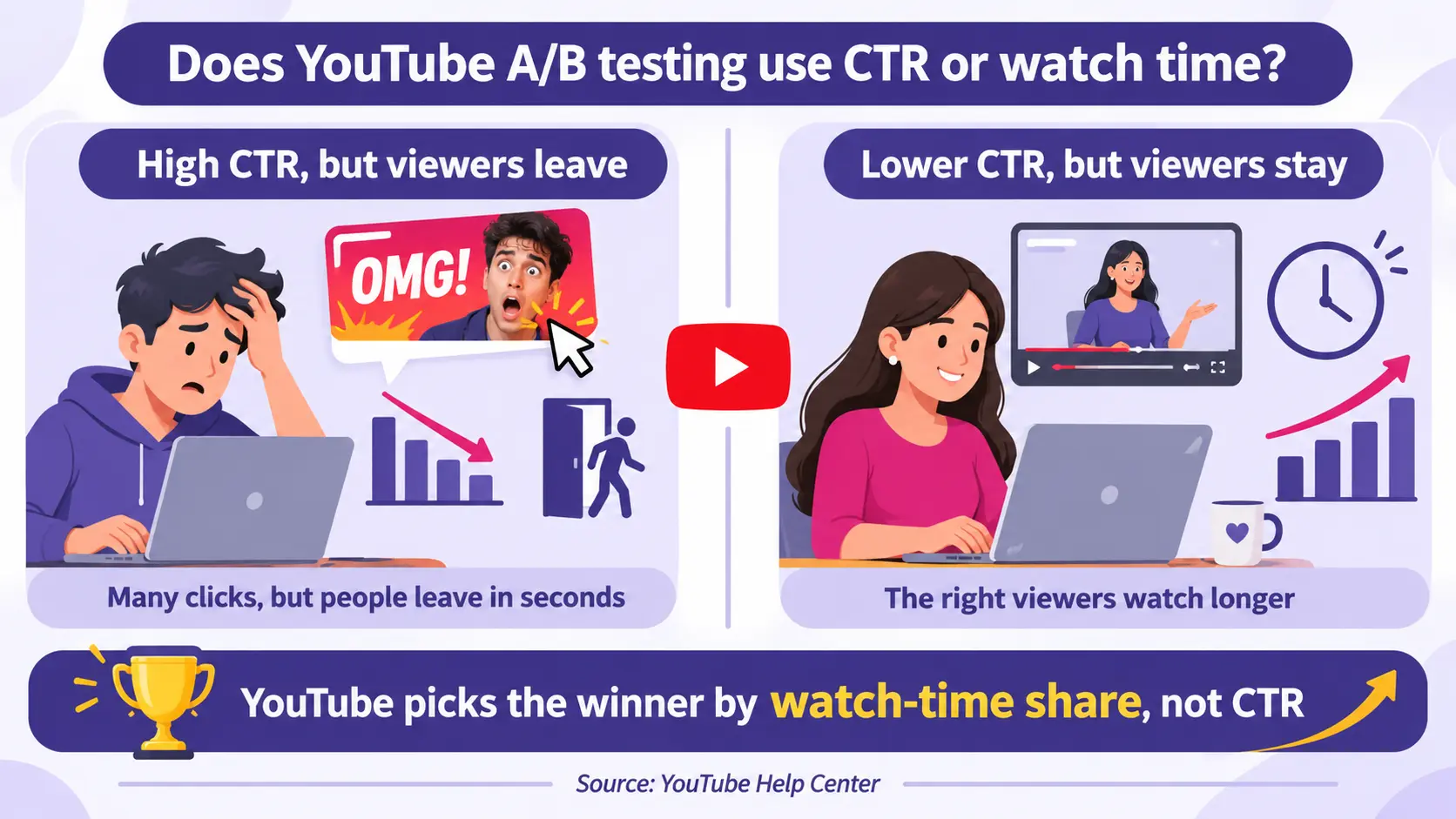
YouTube picks the winning thumbnail by watch-time share, not by click-through rate. Watch-time share rewards the version that gets people to click and then keep watching.
Most guides get this wrong, so slow down here. Imagine a loud thumbnail that gets many clicks. But the video does not match it, so viewers leave in seconds. YouTube sees that as a poor experience. That high-click thumbnail can still lose. A calmer, honest thumbnail brings in the right viewers. They watch longer, so it often wins.
Think of a thumbnail as a promise. The best one is not the most dramatic. It is the one that attracts people who really want the video. For context, YouTube’s Help Center says half of all channels and videos have a CTR between 2% and 10%. Use that as a rough guide, not a fixed target, because the right number changes with your topic and traffic source.
Test & Compare is free. It works in desktop YouTube Studio for accounts with advanced features turned on.
If you do not see the option yet, it may still be rolling out, or your account may not meet the settings above. Check YouTube’s Test & Compare documentation for the latest rules before you plan a test.
To A/B test a thumbnail, open the video in desktop YouTube Studio, start a test in the thumbnail section, and upload up to three versions.
YouTube shows all versions at the same time to different viewers. This is fairer than swapping thumbnails one after another, because each version competes under the same conditions. Pick a video that already gets steady views, so the test has enough data to reach a clear result.
Change one thing at a time. Then you know what made the difference. If you change the face, the text, and the colour all at once, a win tells you nothing useful. Test in rounds, from the biggest changes to the smallest.
These usually move the numbers the most, so start here.
Once the big elements are set, test these.
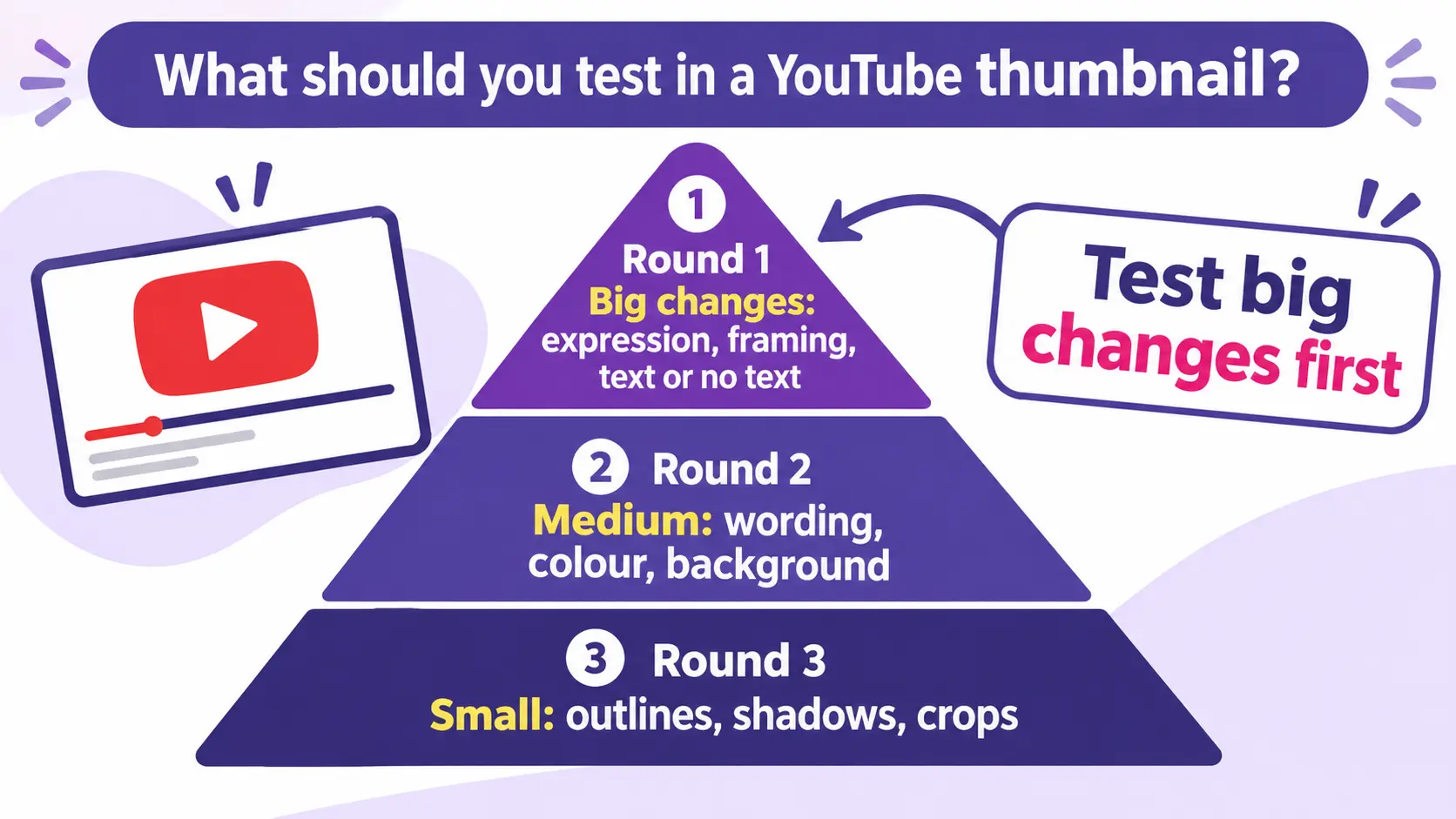
Save these for last. They give small gains, so they are not worth testing first.
| Element | What to compare? |
|---|---|
| Facial expression | Calm against excited |
| Faces | A face against product only |
| Text | With text against without |
| Colour | Dark background against bright |
| Composition | Subject on the left against right |
| Message | Curiosity against clear information |
If your channel gets little traffic, Test & Compare will often say “inconclusive.” So focus on the basics and on manual testing until your views grow.
Here is a simple manual test. Note a video’s current CTR in the Reach tab for two weeks. Change only the thumbnail. Watch the CTR for the next two weeks. Treat it as a guide, not proof, because other things change too, like the season or how YouTube is pushing the video.
More importantly, build strong thumbnails now. Study the top thumbnails in your niche. Ask what makes them clear in one second. Copy the style for practice. The person who can already design well wins faster once their channel is big enough to test. This practice also builds the portfolio you can show an employer or client later.
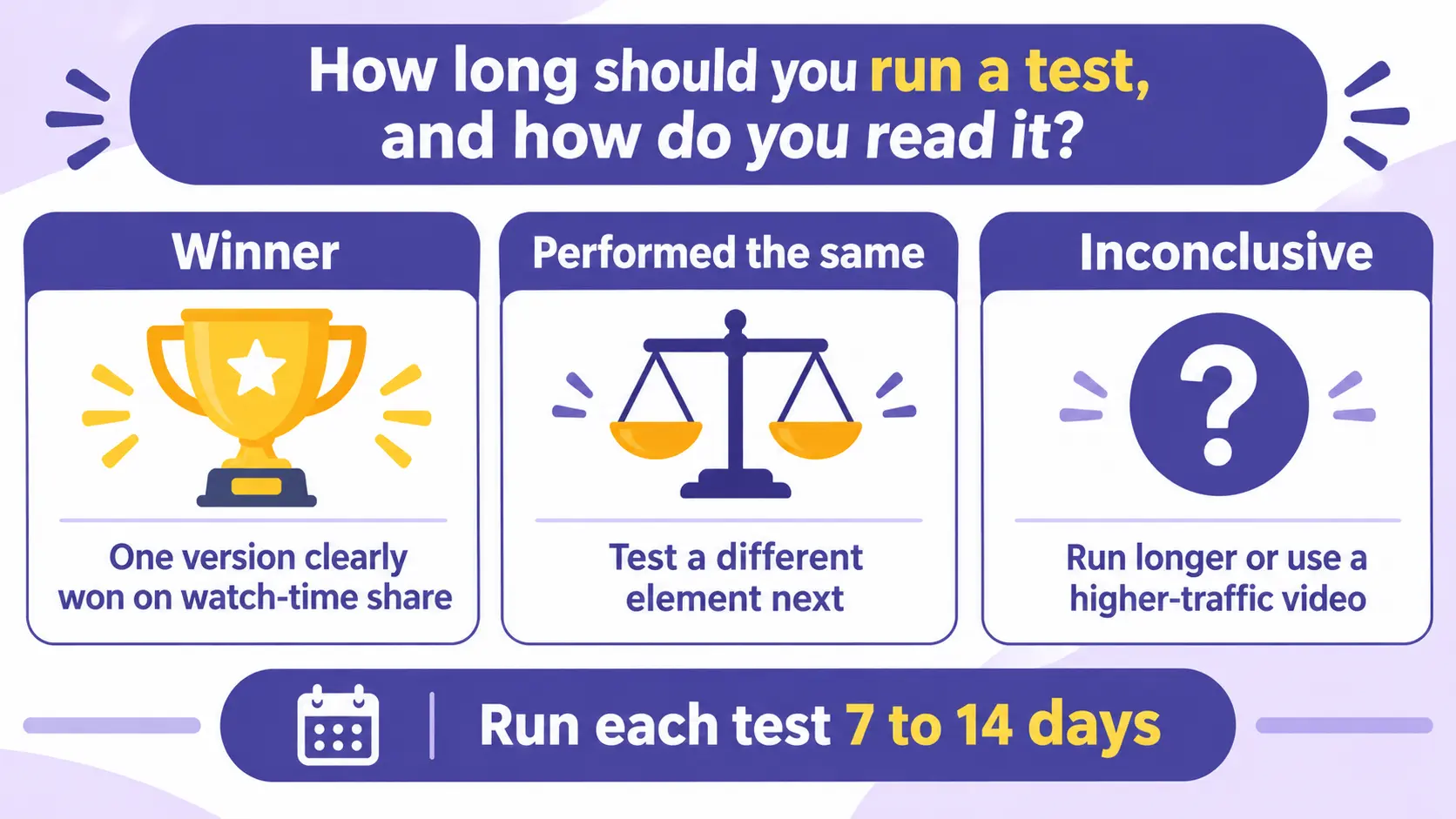
Run each test for at least 7 days. Two weeks is better. People watch differently across the week, so a short test can mislead you. Do not stop early just because one version looks ahead after a day or two. Wait for YouTube to call it.
| Result | What it means? |
|---|---|
| Winner | One version clearly won on watch-time share, and YouTube applies it |
| Performed the same | The versions were close, so test a different element next |
| Inconclusive | Not enough data, so run longer or test a higher-traffic video |
A “performed the same” result is still useful. It tells you that this element does not change much for your audience, so you can stop testing it and move on.
A few common mistakes waste tests and slow your growth. Avoid these from the start.
For most beginners, YouTube’s built-in Test & Compare is the best place to start. It is free, reliable, and tests on real traffic.
| Point | YouTube Test & Compare | Many third-party tools |
|---|---|---|
| Cost | Free | Often paid |
| How it tests | All versions shown at once | Often one after another |
| Winning metric | Watch-time share | Often CTR |
| Versions | Up to 3 | Varies |
| Where it runs | Desktop YouTube Studio | Extension or app |
Try paid tools later, once you know the basics and want extras like pre-publish testing or deeper reports.
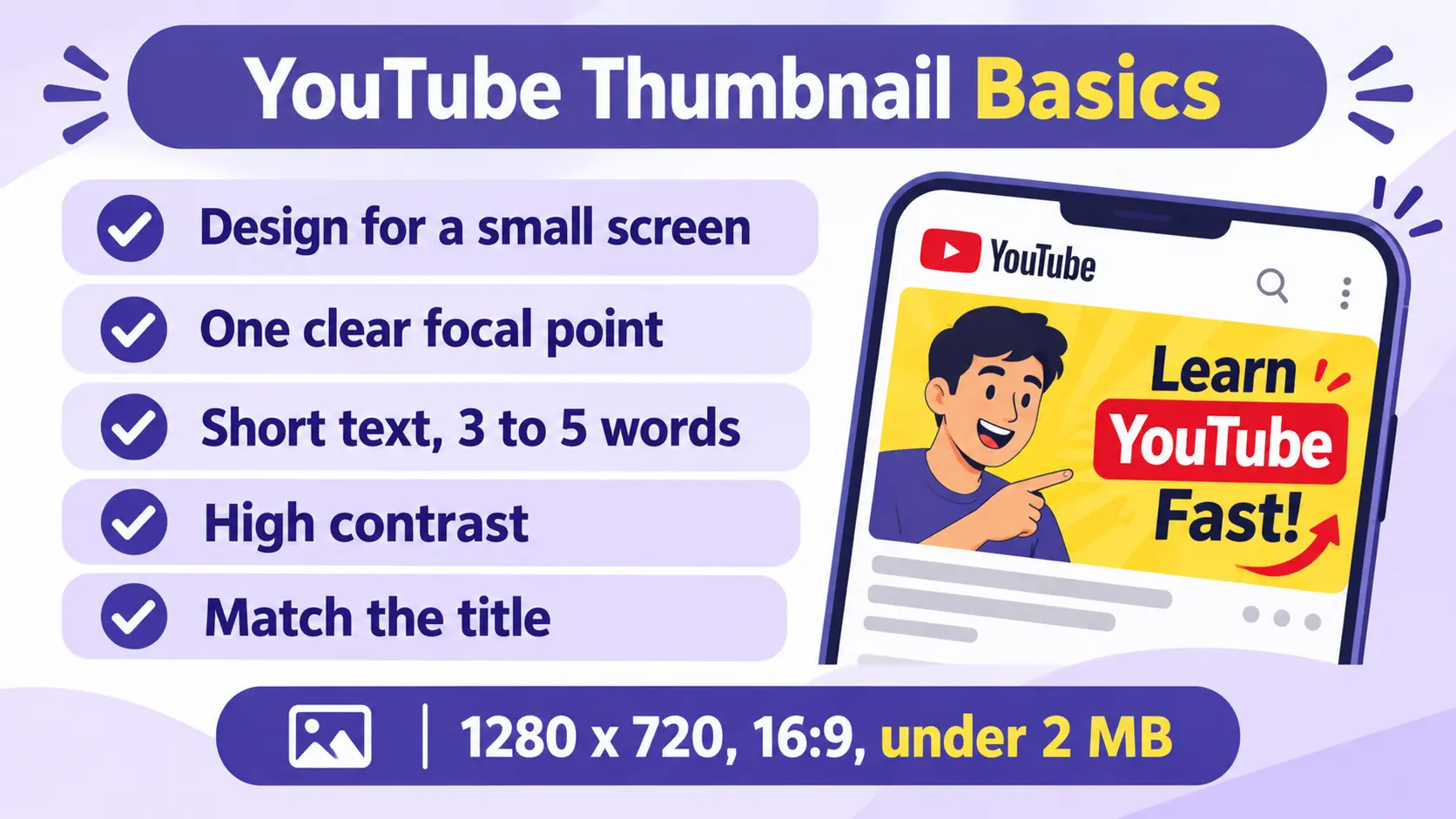
A/B testing only helps if you have something worth testing. So get the basics right first. Design at 1280 x 720 pixels, 16:9, at least 640 pixels wide, and under 2 MB in JPG, PNG, or GIF. Then follow a few habits:
Strong basics mean your tests start from a higher level, so even your losing versions perform better.
Yes. Thumbnail design, A/B testing, and analytics are skills that brands, creators, and agencies pay for. In an era of layoffs, they offer a real path to a job or freelance income.
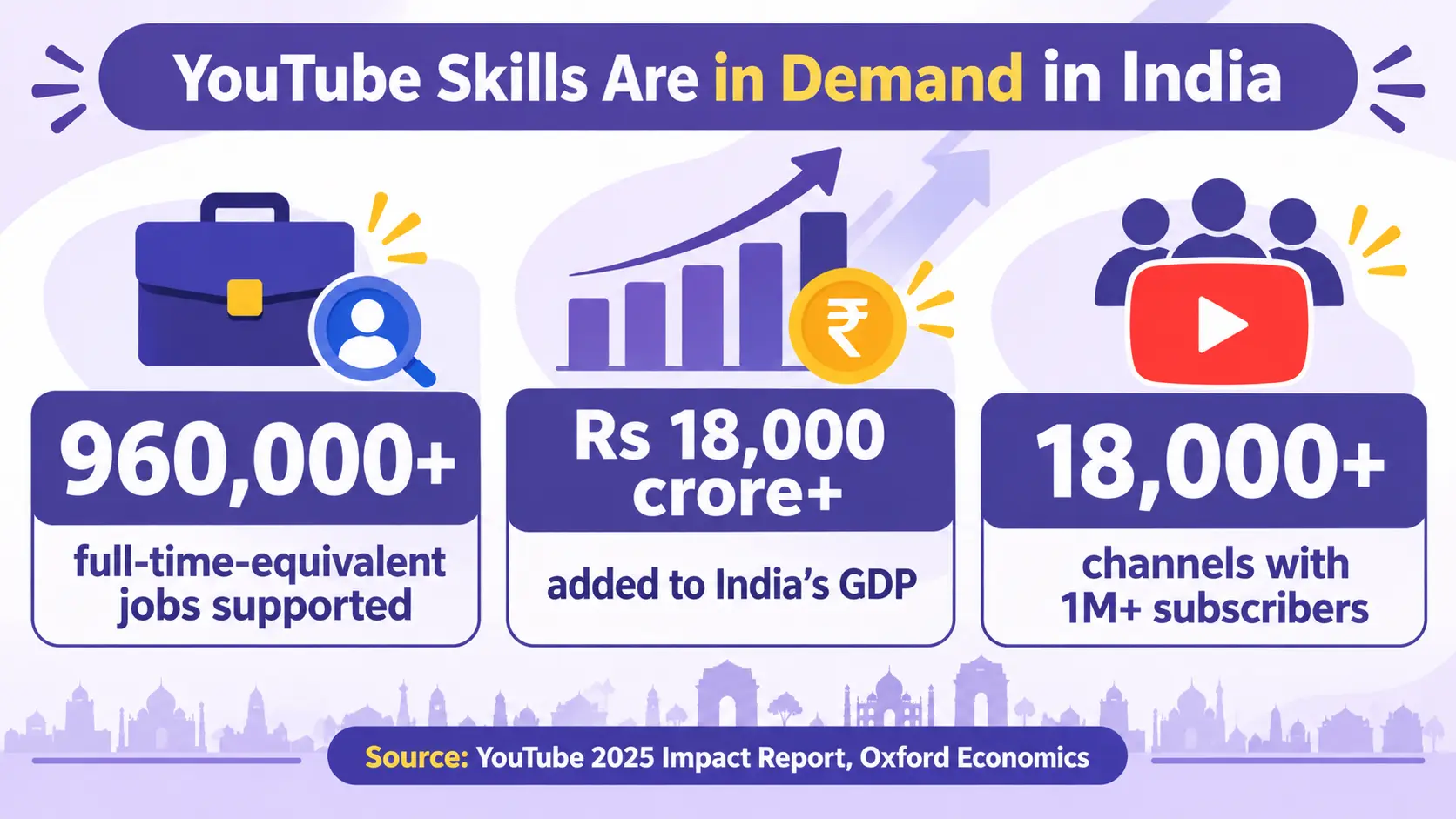
The demand shows up in the data. According to YouTube’s 2025 Impact Report, with research by Oxford Economics, the YouTube ecosystem supported over 960,000 full-time-equivalent jobs in India in 2025 and added more than Rs 18,000 crore to the country’s GDP. The same report says more than 200,000 channels in India earned revenue for the first time over the last year. It also notes that more than 18,000 Indian channels now have over one million subscribers. This is a growing field, not a hobby.
The same skills support many job titles:
Many creators also hire freelancers for this exact work, which makes it a strong way to start earning while you learn.
You do not need a big channel to show skill. You need proof of thinking. Take one video. Make three thumbnail ideas. Write why each could work. Say which metric you would use to judge them. This shows you can think like a marketer, not just design a nice image.
At IDCM, with the courses like Advanced Diploma in Digital Marketing, Diploma in Digital Marketing etc. learners build these skills across content strategy, social media, analytics, and AI-powered marketing through structured, project-based training. That mix of design, data, and strategy is what turns a hobby into a career.
YouTube thumbnail A/B testing turns thumbnail design from a guess into a decision backed by real data. Instead of arguing about which image looks better, you let your own viewers decide. Over time, that habit builds something valuable: a clear record of what works for your audience, and the judgment to repeat it.
The method stays simple. Start with strong basics, so even your weakest version is decent. Make two or three honest variations of one video’s thumbnail. Run them through Test & Compare for 7 to 14 days. Judge the winner by watch-time share, not clicks alone. Then write down what you learned and test the next idea. Each test makes the next one smarter.
This is also where a creative hobby becomes a career skill. Thumbnail design, testing, and analytics sit at the centre of modern digital marketing work, and they are skills you can show in a portfolio and get hired or paid for. If you want to build the full set, from design and data to content strategy, that is exactly what structured training is for.
It uses watch-time share, not CTR alone. The winning thumbnail is the one that gets people to click and then keep watching, because YouTube cares more about viewers who stay than about clicks that bounce.
You can test up to three versions of a thumbnail for a single video. Testing two or three clearly different options gives YouTube enough to compare, while more than three would only split your traffic too thin.
Yes, Test & Compare is completely free for eligible creators inside YouTube Studio. There is no paid plan or add-on, so you can run as many tests as you like at no cost.
You do not need a fixed subscriber count, but you do need advanced features turned on, which you can check under Settings, then Channel, then Feature eligibility. The feature runs on desktop only and does not work on Shorts, Premieres, livestreams, private videos, or content made for kids.
Run each test for at least 7 days, and 14 days is better for a reliable result. Viewing habits change across the week, so wait for YouTube to declare a winner instead of stopping early when one version looks ahead.
Yes, you can run Test & Compare on both new uploads and older, already published videos. In fact, refreshing the thumbnail on an older video with low CTR is one of the easiest ways to give it a second chance.
An inconclusive result means there was not enough traffic for YouTube to pick a clear winner. When this happens, run the test for longer or try it on a video that gets more impressions, so the data has room to settle.
Yes, it is a practical skill used in digital marketing roles like YouTube channel manager, content strategist, and performance marketer. It is also common freelance work, since many creators and brands pay others to design and test their thumbnails.


 }})